Every founder eventually hits a breaking point where sheer willpower is no longer enough to scale the company. You are closing deals, hiring talent, and expanding your footprint, but the internal operations feel like a house of cards. Your data lives in scattered spreadsheets, your team spends hours manually copying information between applications, and revenue is slipping through operational cracks.
This is the "systems gap." To cross it, you need to stop relying on heroics and start relying on infrastructure. Welcome to the Complete Guide to Business Systems. In this article, we will explore how mastering business systems integration transforms chaotic startups into predictable, high-growth enterprises. We will understand the tech alphabets, show you exactly how these platforms communicate, and provide a blueprint to automate business workflows for long-term success.
The Core Pillars of Scaling: CRM vs ERP vs HRMS
To build the ideal business architecture, you first need to understand the individual building blocks. The most common mistake founders make is buying the wrong software for the right problem.
Let's break down the "Big Three" systems using a simple analogy: a high-end restaurant.
What is a CRM (Customer Relationship Management)?
The CRM is your front-of-house staff. It manages the hostess stand, the waiters, and the guest experience.
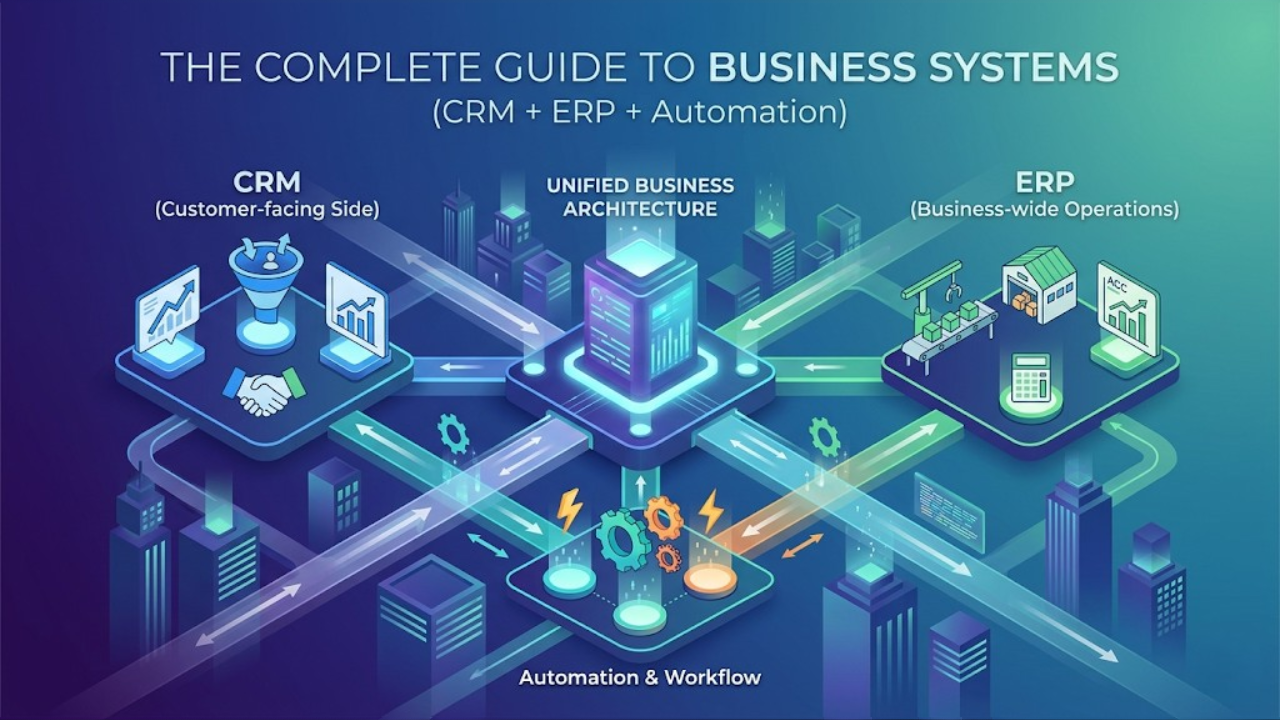
A CRM system, like Salesforce, is designed exclusively to manage how your business interacts with the outside world. It tracks your marketing leads, manages your sales pipeline, logs customer support tickets, and stores the communication history of every client.
Key takeaway: A CRM is built to drive revenue and improve the customer experience. If your problem is generating leads, tracking follow-ups, or closing deals, you need a CRM.
What is an ERP (Enterprise Resource Planning)?
If the CRM is the front-of-house, the ERP is your kitchen and supply room. It handles the heavy lifting behind the scenes.
An ERP system, like Odoo, is the central nervous system for your business-wide operations. It manages manufacturing, supply chain logistics, inventory tracking, financial accounting, and procurement. It ensures that when a waiter (CRM) takes an order, the kitchen has the ingredients to cook it.
Key takeaway: An ERP is built to drive efficiency and reduce operational costs. If your problem is delayed shipping, inaccurate inventory, or chaotic financial reporting, you need an ERP.
What is an HRMS (Human Resource Management System)?
The HRMS is your restaurant manager. It focuses entirely on the people making the business run.
An HRMS handles the entire employee lifecycle. This includes recruitment, onboarding, payroll processing, performance reviews, and benefits administration. As your headcount grows beyond 50 employees, managing team data in Excel becomes a massive compliance risk.
Key takeaway: An HRMS protects your most valuable asset: your people. It ensures compliance, streamlines payroll, and boosts employee retention.
The "Single Source of Truth" Dilemma: Master Data Management (MDM)
Before discussing how these systems connect, we must address the most common technical hurdle founders face: Who owns the data?
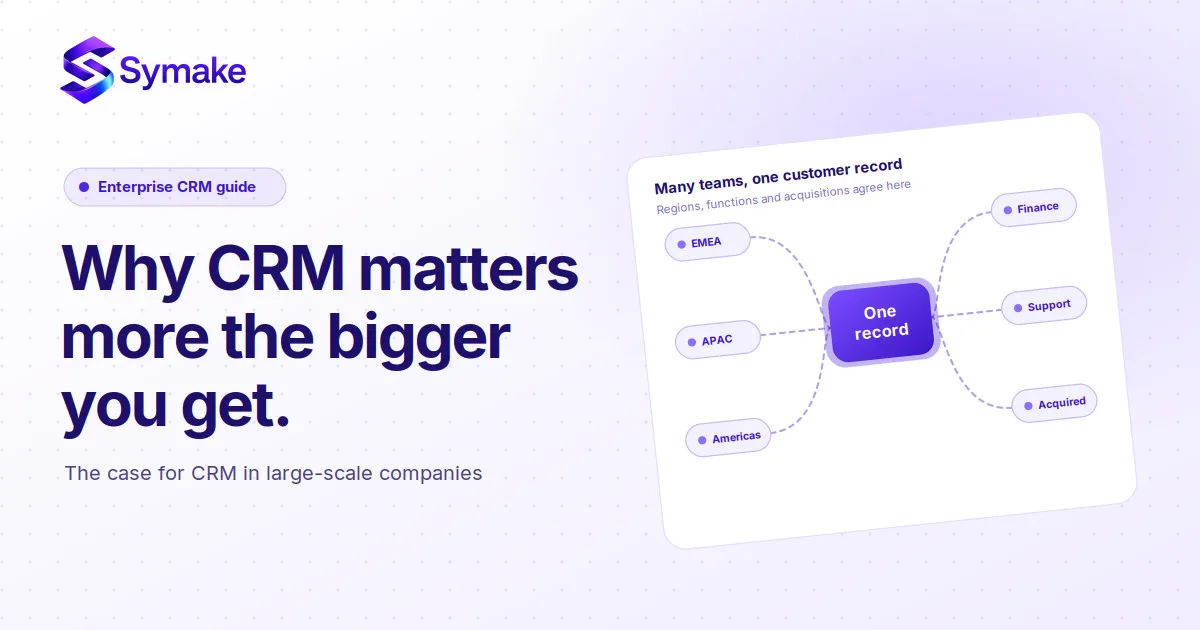
When you look at CRM vs ERP differences, you will notice an overlap. Both systems have a "Customer" record. Both systems have "Product" catalogs. If a client changes their billing address, do you update it in the CRM or the ERP?
This is where Master Data Management (MDM) comes in. To achieve a unified software ecosystem, you must establish a strict hierarchy of data ownership.
The CRM owns the "Prospect": All lead data, marketing touchpoints, and pre-sale communication live here.
The ERP owns the "Financial Entity": Once a prospect signs a contract and becomes a paying customer, the ERP becomes the master record for their billing address, credit limits, and invoicing history.
The Bi-Directional Sync: When an update is made to the financial entity in the ERP, that data is pushed backward into the CRM so the sales rep remains informed.
Key takeaway: Never allow two systems to fight for dominance. Clearly defining which software acts as the "Master" for specific data points prevents duplicate records and database corruption.
The Synergy: How These Systems Work Together
Having a CRM, an ERP, and an HRMS is a great start. However, scaling operations requires these systems to talk to each other natively.
When you achieve true business systems integration, the magic of automation takes over.
The Front-House to Back-House Flow
Imagine a sales rep closing a major $100,000 deal. In a disconnected business, that rep has to email the finance team to generate an invoice, message the warehouse to check stock, and notify project managers to start onboarding.
In a unified ecosystem, the moment the CRM deal is marked "Closed-Won," the system triggers a cascade of automated actions. The CRM pings the ERP. The ERP instantly creates a sales order, adjusts live inventory levels, and automatically emails a legally compliant invoice to the client.
Automating the Employee Lifecycle
The synergy extends to your workforce. When your HRMS is connected to your ERP and CRM, onboarding becomes instantaneous.
When HR marks a new hire as "Active" in the HRMS, the system automatically provisions their software licenses in the ERP. It assigns them a territory in the CRM and triggers their first payroll sequence in the accounting module. This cuts onboarding administrative time by up to 80%.
Real-World Architecture: Industry Use Cases
Theoretical integration sounds great, but how does the ideal business architecture apply to specific industries? Let's look at two complex verticals.
1. The Real Estate Use Case
In real estate, property developers often struggle with the gap between lead generation and payment collections. A buyer might express interest via a portal, but tracking their site visits, booking their specific plot, and managing their staggered payment schedule (demand notes) requires immense coordination.
By integrating a real estate CRM with an operational backend, developers can create a seamless journey. A lead captured from a Facebook ad enters the CRM. Once a site visit occurs and a deal is struck, the system updates a live "Booking Board" in the ERP, marking the plot as sold. The ERP then automates the demand note generation, increasing payment collection efficiency by tracking exactly who owes what, and when.
2. The Manufacturing Use Case
Manufacturers deal with strict margins and complex supply chains. If the sales team is forecasting a massive Q4, but the production floor has no visibility into that forecast, stockouts are inevitable.
When a CRM is integrated with a manufacturing ERP (like Odoo), the sales pipeline directly feeds the Master Production Schedule (MPS). If a sales rep moves a massive raw materials order to the "Negotiation" stage, the ERP automatically flags the procurement team to begin sourcing components based on the weighted probability of that deal closing. This turns reactive manufacturing into predictive manufacturing.
The Future of Business Systems: The Rise of Agentic AI
As we move deeper into 2026, the concept of business systems integration is undergoing a massive evolution. We are moving away from passive databases and entering the era of the Autonomous OS.
Software is no longer just storing your data; it is actively managing it through Agentic AI (such as Salesforce Agentforce and upcoming ERP innovations).
From Chatbots to Agents: Traditional AI answered questions. Agentic AI executes tasks. If your ERP detects a supply chain delay, an AI agent can proactively draft a warning email to the affected clients in your CRM and propose an alternative shipping route.
Process-Aware Intelligence: Modern systems can now "read" historical data across both your CRM and ERP to identify bottlenecks, dynamically adjust safety stock levels, and predict cash flow shortages before they happen.
To leverage these AI advancements, your underlying data architecture must be flawless. AI cannot operate inside data silos.
The Hidden Cost of Silos: Why Businesses Fail Without Integration
Founders often delay integration because of the upfront cost. However, maintaining disconnected systems carries a much higher, hidden tax.
Data Duplication and Manual Entry Errors
We call this "swivel-chair integration." It is what happens when an employee has to look at data on one screen and manually type it into another. A single typo in a shipping address or a misplaced decimal in a pricing quote can cost thousands of dollars to fix.
Blind Decision-Making
You cannot scale what you cannot measure. When your sales data lives in a CRM and your cost data lives in an ERP, calculating your true profit margins requires exporting CSV files and wrestling with VLOOKUPs. Disconnected systems force founders to make critical business decisions using the rearview mirror instead of the windshield.
Designing the Ideal Architecture for Growing Companies
Building the ideal setup requires a phased approach to ensure high user adoption and minimal disruption.
Phase 1: The Foundation (CRM First)
For early-stage companies, cash flow is king. Implement a robust CRM before touching anything else. Centralize your leads, automate your email follow-ups, and get a clear view of your sales pipeline.
Phase 2: Operational Control (Introducing ERP)
Once your sales engine is predictable, the stress will shift to your fulfillment and finance teams. This is when you introduce an ERP. Move your financial tracking out of basic software and into a system that can handle complex, multi-entity accounting and automated supply chain routing.
Phase 3: The Unified Ecosystem (Integration)
Use middleware or native APIs to connect your CRM, ERP, and HRMS. The goal of Phase 3 is to ensure that data is only ever entered into a system once, and it propagates everywhere it is needed.
Step-by-Step Implementation Strategy for Founders
Follow these non-negotiable steps to guarantee a successful systems rollout.
1. Map Your Workflows Before Buying
Identify exactly where data needs to flow before watching a single software demo. Knowing your precise requirements prevents you from overpaying for features you don't need.
2. Clean Your Data
Before integrating, audit your current spreadsheets and legacy databases. Remove duplicates and standardize naming conventions. A new system will only be as smart as the historical data you feed it.
3. Avoid the "Customization Trap"
The greatest threat to scaling operations is over-customization. Just because you can write custom code to make an ERP behave exactly like your old, broken Excel sheet doesn't mean you should. Whenever possible, adapt your business processes to fit the standard best practices of the software, rather than heavily customizing the software to fit your old processes. Custom code breaks during system updates and makes future integrations infinitely more expensive.
4. Prioritize Change Management
Involve your key operators in the selection process early on. Provide extensive, role-specific training. Make it completely clear on how the new integrated system will save them time. Software adoption is a leadership challenge, not an IT challenge.
Your Next Steps to Operational Excellence
Scaling a business is inherently chaotic, but your internal operations do not have to be. By understanding the distinct roles of a CRM, ERP, and HRMS, and forcing them to work in a unified software ecosystem, you transition from reactive survival to proactive growth.
The gap between where your business is now and where you want it to be is bridged by integrated technology.
Is your Business facing issues like disconnected spreadsheets? It's time to build an autonomous, scalable infrastructure. At Symake, our expert implementation team specializes in aligning your complex business processes with world-class Salesforce and Odoo solutions.
Connect with us to schedule your free systems architecture audit and let's map out your growth engine.
Frequently Asked Questions (FAQs)
1. What are the key CRM vs ERP differences I should care about?
A CRM focuses exclusively on customer-facing activities like sales, marketing, and support. An ERP handles back-office, business-wide operations like accounting, inventory, supply chain, and human resources. CRM drives revenue; ERP drives efficiency.
2. Can an ERP replace my CRM system?
While many modern ERPs come with built-in CRM modules, they are often less sophisticated than standalone, best-of-breed CRMs like Salesforce. Fast-growing companies typically prefer to integrate a dedicated CRM with a powerful ERP to get the best of both worlds.
3. At what revenue stage should a company invest in an ERP?
Most businesses start feeling the urgent need for an ERP when they cross the $2M–$5M annual revenue mark, or when they reach 50+ employees. Warning signs include closing the books taking more than two weeks or inventory stockouts occurring frequently.
4. How do I automate business workflows between different systems?
You can integrate systems using native API connectors built by the software vendors, or by utilizing middleware platforms (like Zapier, Workato, or MuleSoft). These connectors listen for specific "triggers" in one system (e.g., a signed contract) to automatically execute an "action" in another (e.g., creating an invoice).
5. What is the biggest reason business systems integration projects fail?
The number one reason for failure is poor change management and lack of workflow mapping prior to implementation. Companies often try to replicate their old, broken processes inside new software instead of using the integration as an opportunity to redesign and optimize how they work.